Virtual Office GitHub

New Version 1.0 for Nextcloud 35

See who’s around.
Drop by.

Virtual Office gives your team a small shared office inside Nextcloud. Step in as a character, walk over to a colleague and say hi before anyone has to start a call.

Free and open source No extra server App Store listing coming soon

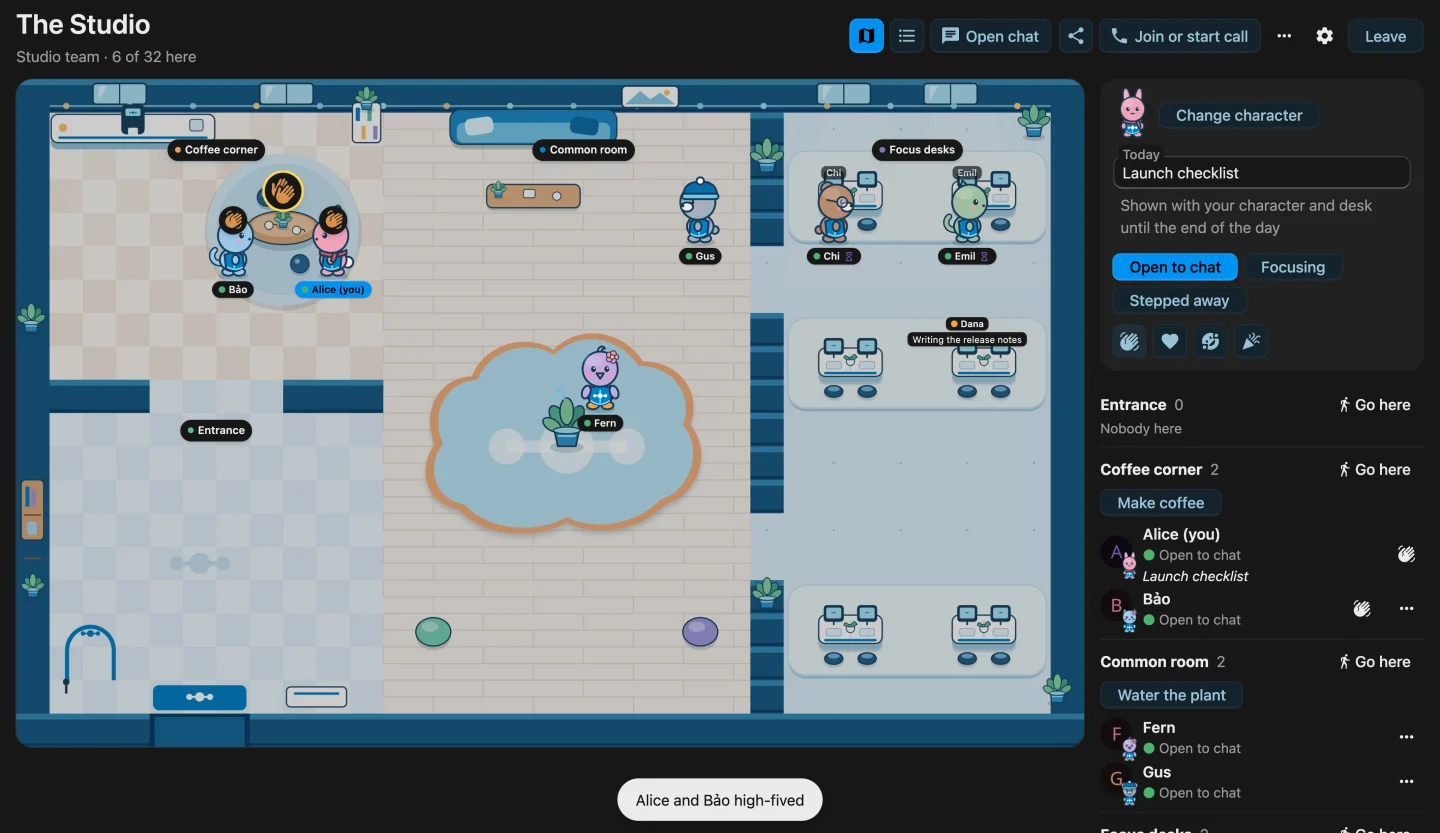
The Studio, a Team office in Virtual Office. Alice and Bảo high-five at the coffee corner, Fern waters the plant, Gus is in the common room, Chi and Emil focus at their desks, and Dana's desk shows her note while she is out. The side panel lists everyone by place.
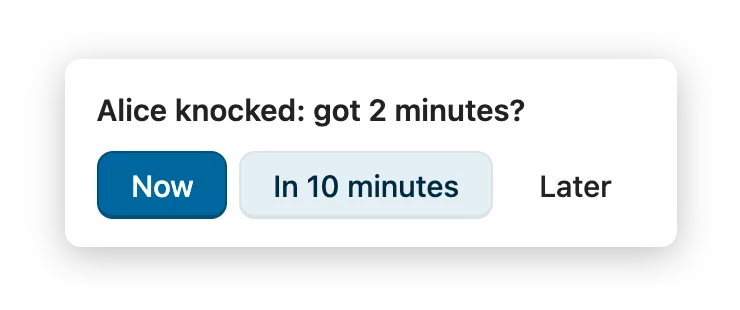
A knock on Chi: “Alice knocked: got 2 minutes?” with the answers Now, In 10 minutes and Later
  • Free and open sourceAGPL-3.0, on GitHub
  • Runs inside Nextcloud 35Nothing else to host
  • Members onlyTeams, groups and conversations
  • No historyNo record of visits or movement

Inside Talk

Your group chat gets a place to meet.

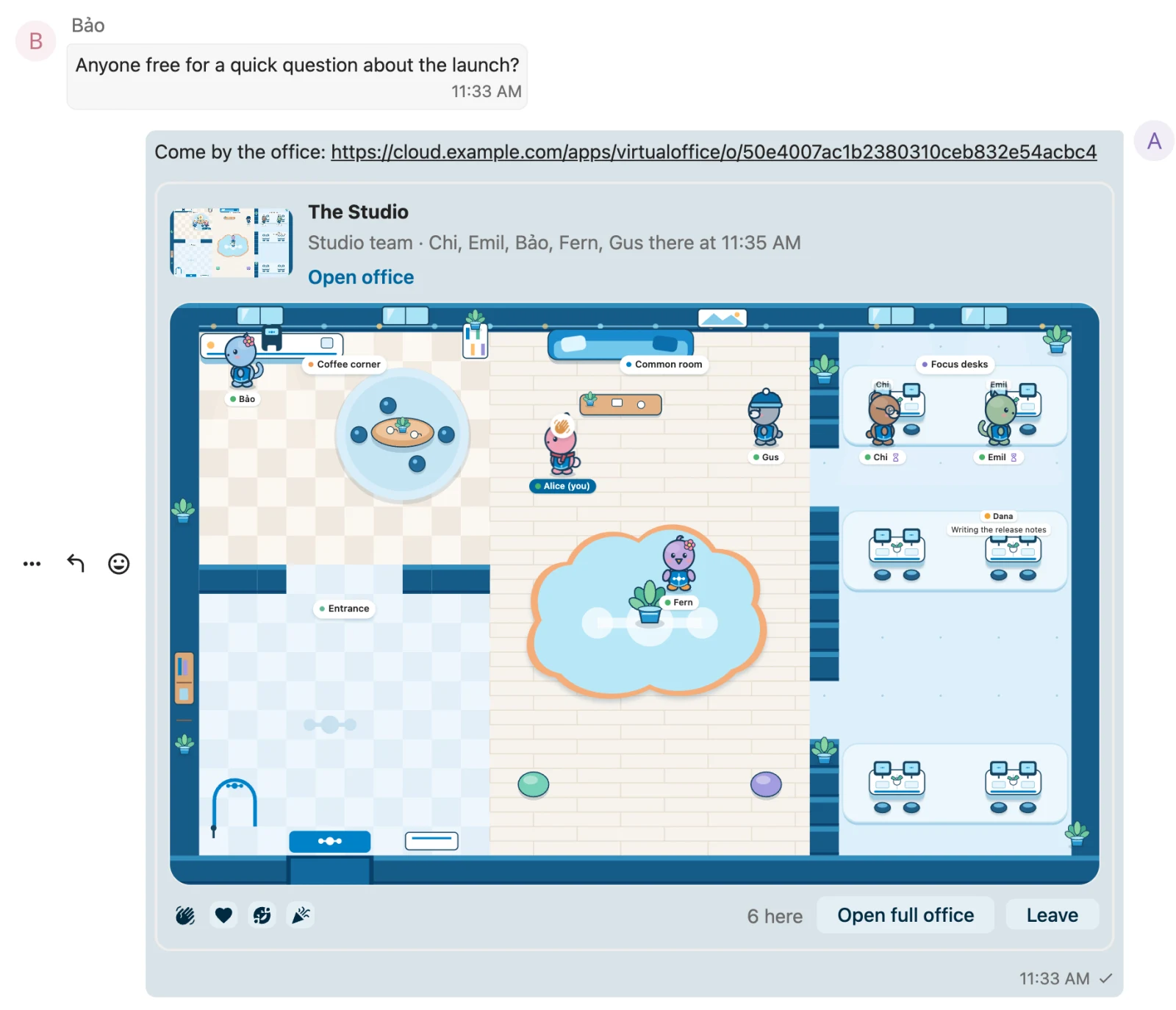
Open a conversation's office from any message menu, or share its link in the chat. The card shows who is inside. Switch it to the interactive view and step in without leaving the conversation.

  • Everyone in the conversation can enter, and nobody else.
  • When the call starts, the office shows who is in it. Join from there.
  • Renamed with the conversation, and removed with it.
The Studio chat in Nextcloud Talk. Bảo asks who is free for a quick question, Alice shares the office, and the office card below shows everyone inside with reaction buttons, Open full office and Leave.

Small moments

Everything that used to happen between meetings.

The office is small on purpose. It brings back the moments a shared room gave you for free.

Coffee, together.

Meet at the machine. When two of you make a coffee at the same time, the cups clink.
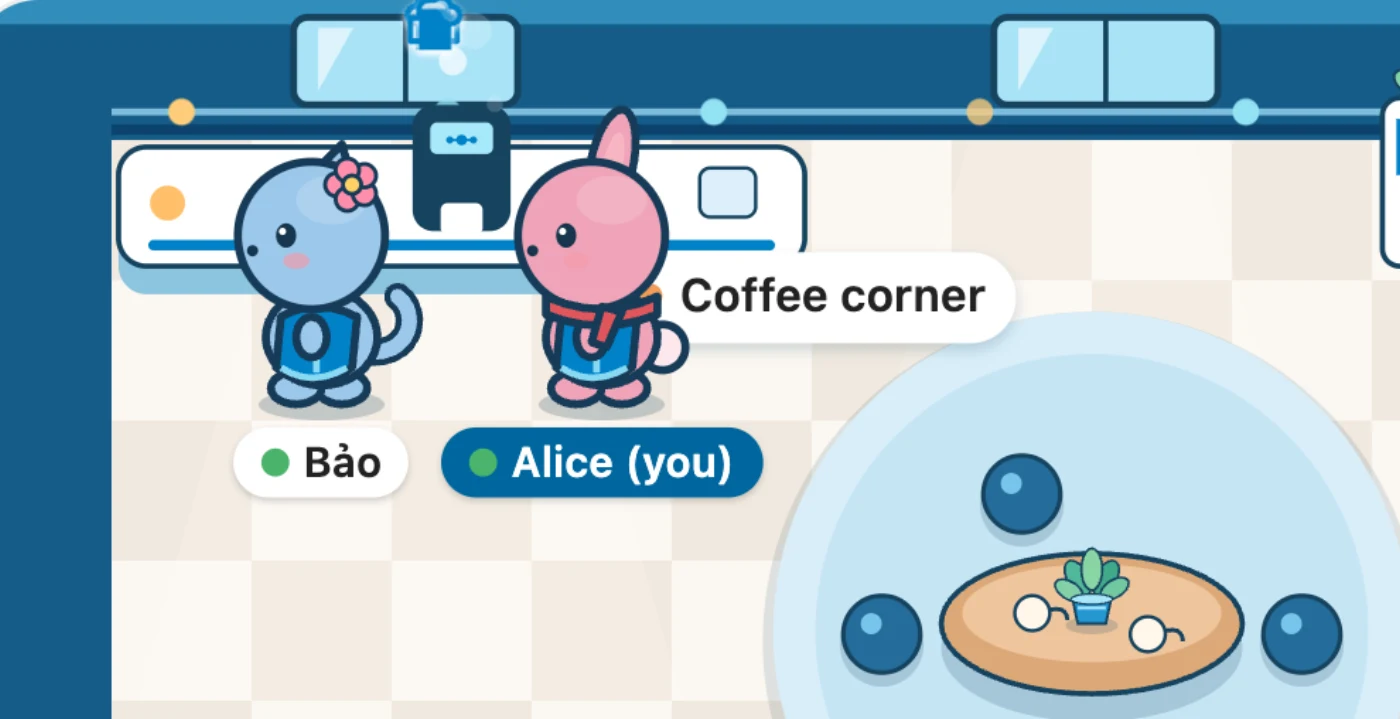
Alice and Bảo at the coffee machine, clinking their cups

High five.

Two people close by who send the same reaction react together.
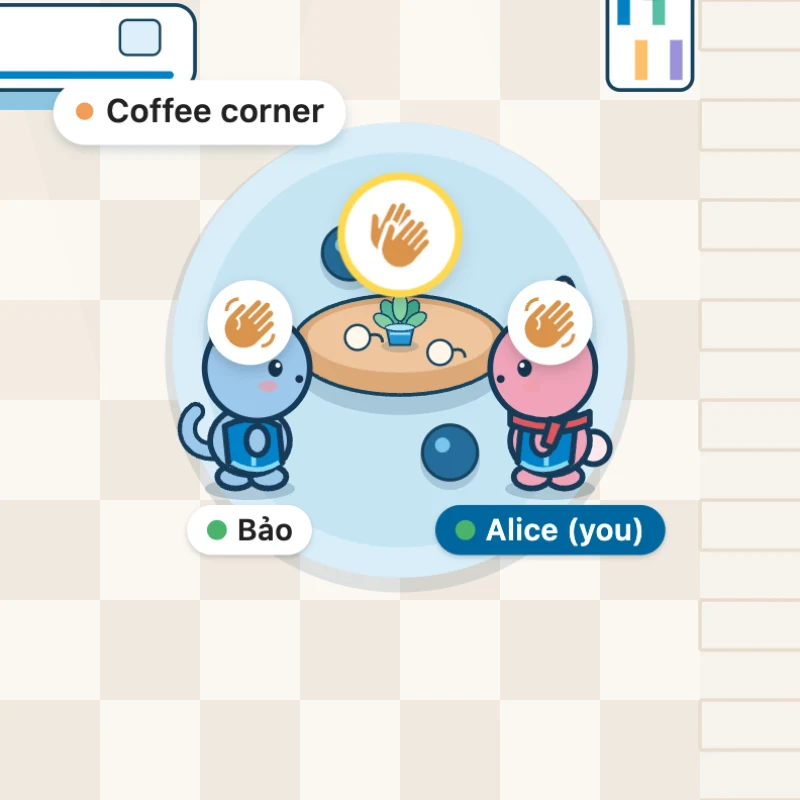
Alice and Bảo high-five at the coffee corner table

A desk of your own.

Claim one of 12 desks. While you’re out, it shows your status and your note for the day.
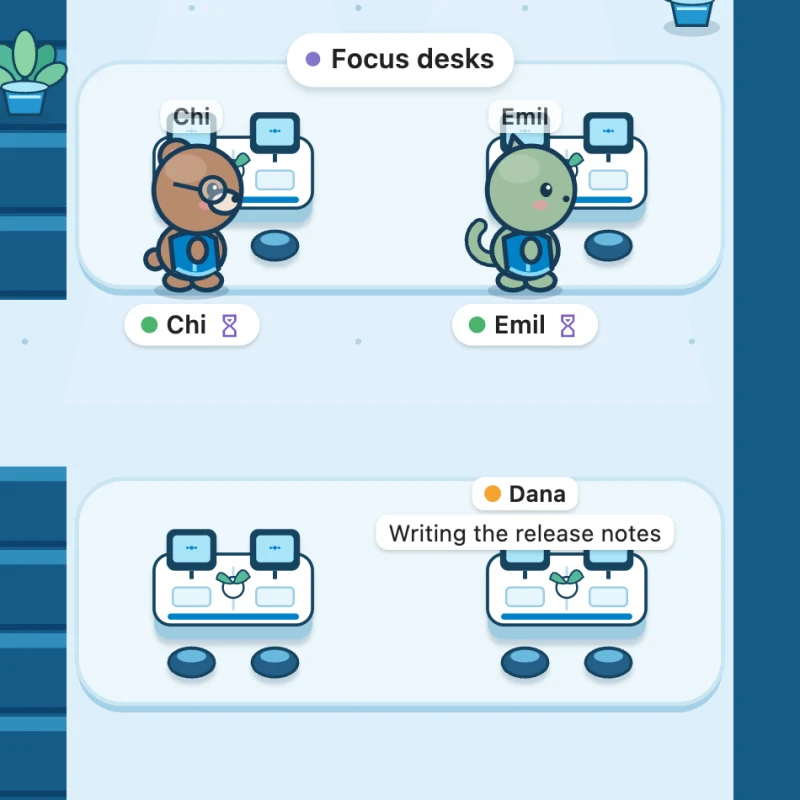
The focus desks: Chi and Emil at their desks, and Dana's empty desk with her note, Writing the release notes

Knock first.

Ask “got 2 minutes?” before you call. They answer Now, In 10 minutes or Later.
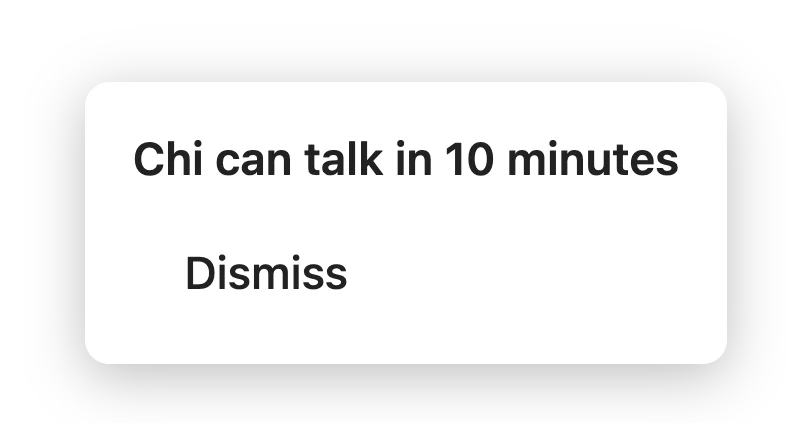
Alice sees Chi's answer: Chi can talk in 10 minutes

Focus together.

Start a 25 or 50 minute session. Anyone can join, and everyone can see who is heads down.

The Focus together panel: two people, 25 minutes left, and a button to join the session

Meet someone new.

Sign up for the weekly coffee roulette in a group office, and get paired for a short chat.

Little signals.

People who step away doze off, and do not disturb shows on their name tag. On your birthday, if your profile shares it, a balloon comes along.

1 of 160 characters

Your character

Pick who walks in.

A rabbit, a cat, a bear or a bird, in eight colors, with a scarf, glasses, a flower or a beanie. Try it here: this is the same artwork the office draws.

Creature
Color
Accessory

The film

Take a slow look around.

From a cup of coffee to the whole office, and the chat it lives in.

Made from the office's own artwork. Sound on.

Where you already work

Know who’s in before you open it.

Offices show up across Nextcloud, so you can see who is around without opening anything.
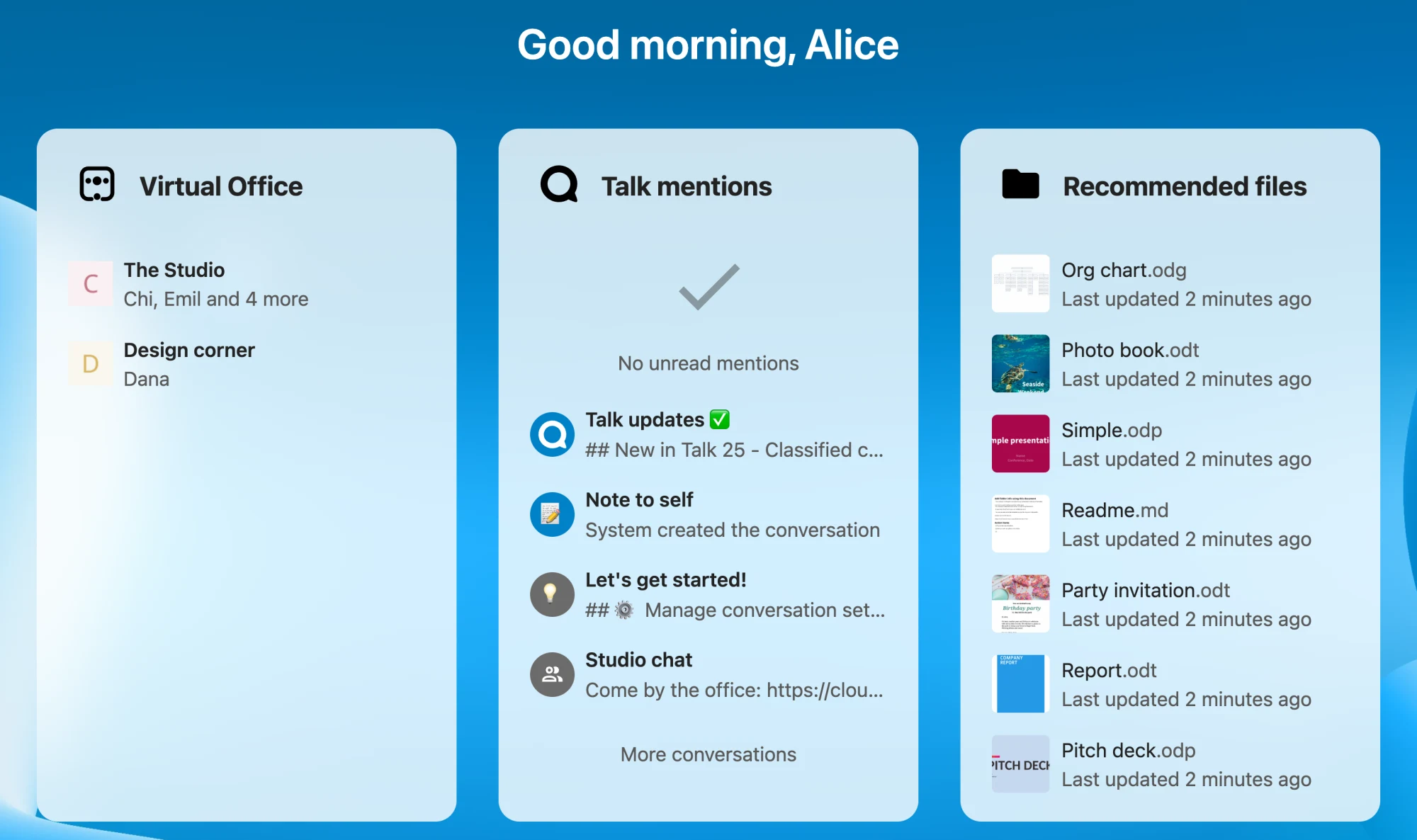
The Nextcloud Dashboard with the Virtual Office widget: The Studio with Chi, Emil and more inside, and Design corner with Dana
  • DashboardA widget with your offices and who is in each one.
  • Search and the Smart PickerFind an office by name, or add it to a chat or a document as a card that shows who is inside.
  • Team pagesEvery Team office sits with the Team, next to its files, boards and conversations.
  • Inside the officeTeam offices show what is shared with the Team, such as Deck boards with how many cards are due.

Made for Nextcloud

At home in light and dark.

Virtual Office uses Nextcloud's own components and follows your theme. Drag to compare.
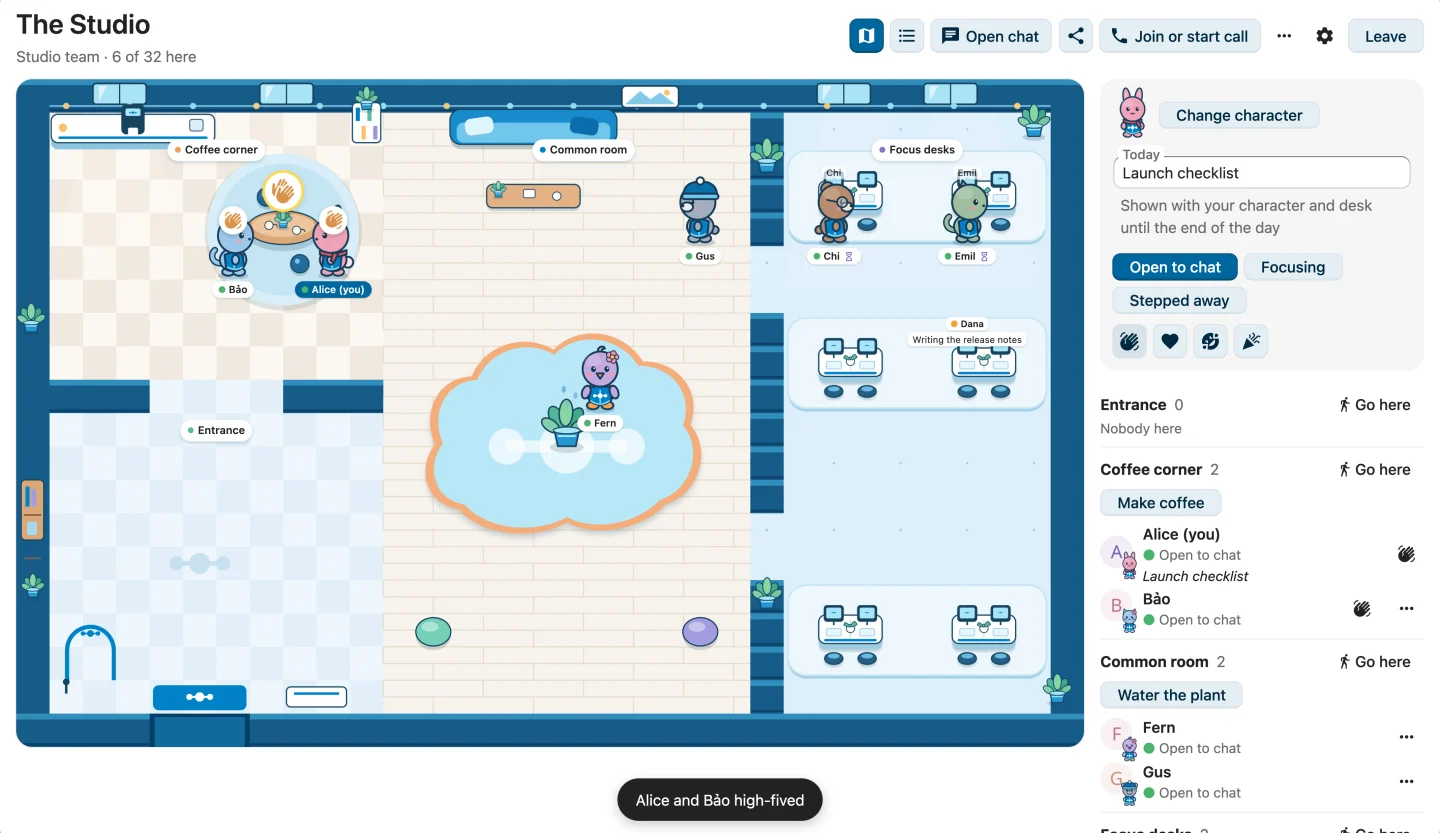
The Studio in Nextcloud's light theme
The same office in Nextcloud's dark theme

Privacy

You decide when you’re there.

An office should feel like a room you can walk into, and out of, whenever you like.
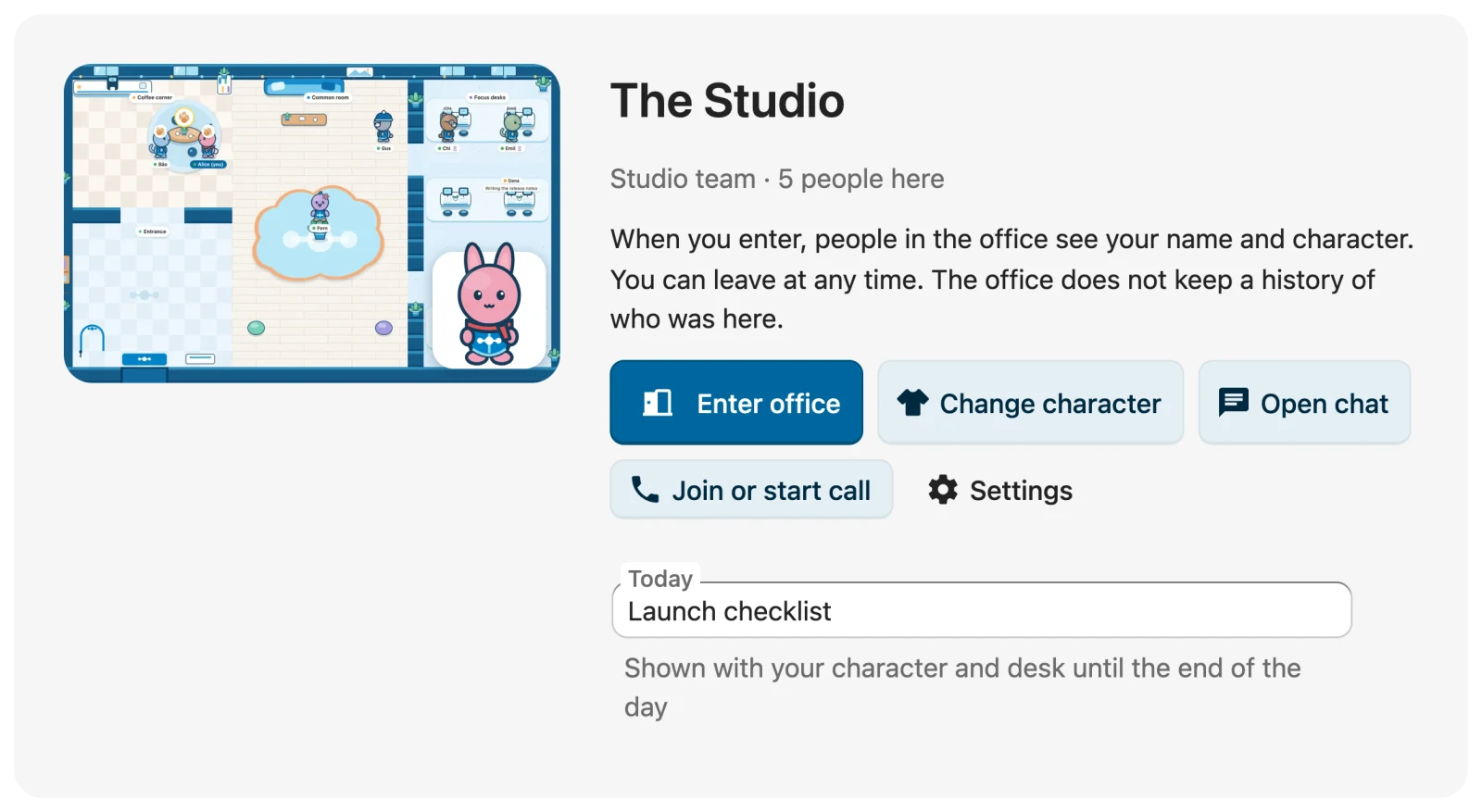
Opening isn’t entering.Nobody sees you until you select Enter office, and you can leave at any time.
Members only.Only people in the Team, group or conversation can find the office and step in.
No history.Virtual Office keeps no record of visits or movement. Desks, notes and knocks keep only what they need.

What is stored, and when it is removed

Before entering The Studio: “When you enter, people in the office see your name and character. You can leave at any time. The office does not keep a history of who was here.”

For everyone

Walk, tap or use the keyboard.

Click or tap a spot to walk there. With the map focused, the arrow keys or W A S D walk, Enter uses the coffee machine or the plant, and 1 to 4 send a reaction.

The people and places list does everything the map does and works with screen readers. On a phone, the office fits in your hand.
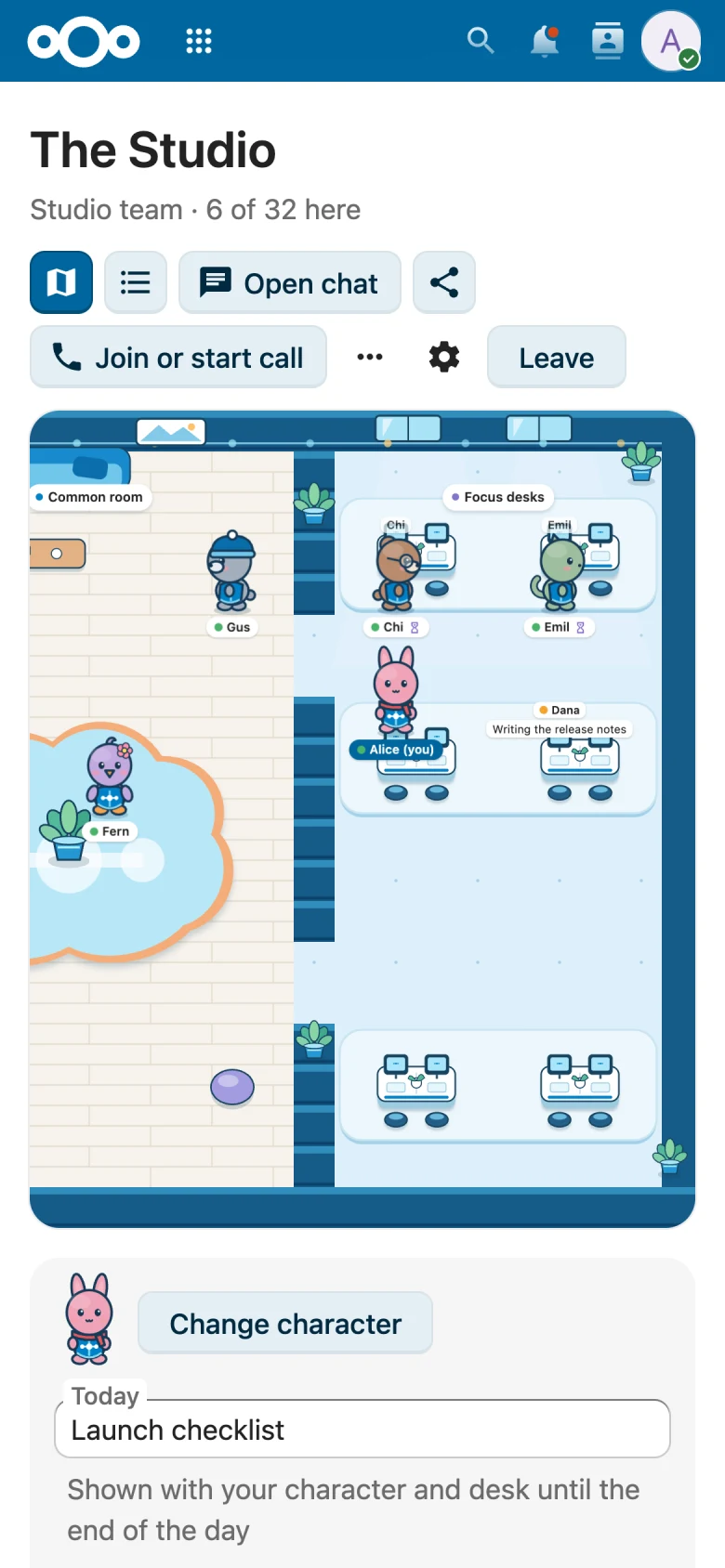
Virtual Office on a phone: The Studio map with the people inside

Setup

One app. Nothing else to run.

Virtual Office runs inside Nextcloud 35. Group offices work on their own; the other apps add more when you have them.

What you need

  • Nextcloud 35Required. No extra server or service.
  • TalkConversation offices, office cards in the chat and calls. Tested with Talk 25. Optional
  • TeamsTeam offices, with the Team's shared files, boards and conversations. Optional
  • DeckDue and overdue cards on Team boards. Optional
  • Client PushInstant movement. Without it, browsers check about once a second. Optional

Get started

  1. Install Virtual Office. The App Store listing is coming soon; the source is on GitHub today.
  2. Create an office for one of your Teams, or open one from a Talk conversation. Admins can add group offices and an office for everyone.
  3. Pick your character and select Enter office. Select Leave when you are done.

Leave the door open.

Give your team a place to run into each other. Free and open source, for Nextcloud 35.