
Open Facebook first
Open any Facebook page in desktop Chrome, then open the panel. Pick groups, liked pages, follows, friends, or sent friend requests and press Load.
Support and troubleshooting
Facebook Reset & Feed Control works from Facebook pages already open in desktop Chrome. Most issues come from being on the wrong Facebook surface, a list that has not loaded yet, or a license check that cannot reach Gumroad or the activation service.
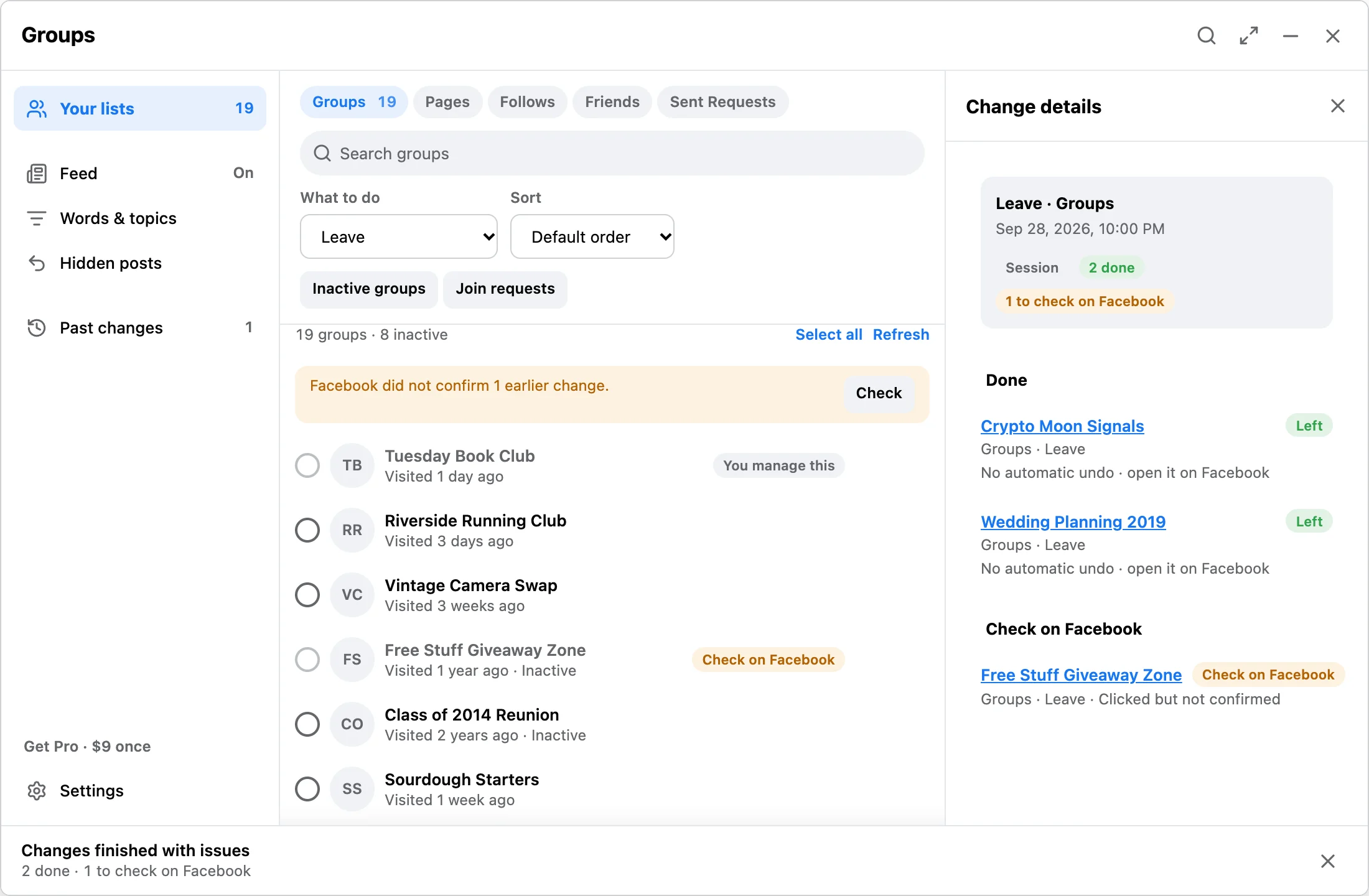
Scan
Open any Facebook page in desktop Chrome, then open the panel. Pick groups, liked pages, follows, friends, or sent friend requests and press Load.
Sign in to Facebook, reload the page, and reopen the extension. Wait for the page to become ready. List discovery is available in Free and Pro.
If Facebook changed the page layout, refresh first. Avoid random console scripts when the expected controls are not present.
Run
Review the queue before starting. Free makes up to 10 changes a day on your lists. Pro is a one-time $9 license with no daily limit, every saved filter running, and Pro filters.
License
Return to Facebook and open Get Pro in the panel. Select I have a key, paste your Gumroad license key, and select Activate. Review the remaining selection before starting; activation does not run cleanup. Once Pro is active, Settings shows the key again, masked, under Plan.
If Chrome is offline or verification is temporarily unavailable, keep the receipt and retry later. Do not buy again while activation is pending. Contact support rather than disabling security controls.
Send the product name, approximate checkout time, extension version, and the status shown. Do not send your Facebook password, license key, raw history, or unrelated account details.
Results
Done means the expected state was observed on Facebook. Failed means the action did not complete with the required evidence. Check on Facebook means an attempted action may have changed Facebook, but confirmation is missing. Do not assume it did nothing. Open Past changes, look at the item on Facebook, and load the list again before retrying. Past changes keeps unresolved attempts out of new runs.
Free makes up to 10 changes a day across explicitly confirmed runs. When a selection is larger, the bar shows how many run today and how many wait until later. Pro removes that daily limit, not protections or Facebook restrictions.
Keep the same Facebook account, surface, and action when reopening the panel. A complete fresh load revalidates saved item identities. Missing, unsupported, completed, quarantined, or Kept items do not return to a run. A different account does not inherit the selection. Nothing starts automatically after checkout or reopening.
Page unlike is not executable. Use Page unfollow if that is your intended action. Old Page-unlike history remains readable. Keep local JSON or CSV run-history exports private; support does not need your Facebook list.
For a stalled loading message, sign in to Facebook, reload the relevant page, and click the extension icon again. If the panel still cannot open, email support with the extension version and the status shown.
FAQ
Open any Facebook page in desktop Chrome, then open the panel. Pick the list in the panel and press Load.
Check the notice in the panel. Reload Facebook and press Load again. Discovery reads the data Facebook makes available, and an incomplete list is not proof that an item is gone.
Groups you administer cannot be left. Items you mark Keep stay out of every selection.
Open Get Pro in the panel, select I have a key, paste the license key from your Gumroad receipt, and select Activate. An email address is not a license key. Contact support if activation remains pending.
No. Never send a Facebook password. The extension does not ask for it.
Queue data, settings, and local receipts stay in Chrome storage on your device.
No. Facebook Reset & Feed Control is independent and not affiliated with Meta or Facebook.
For activation or refund requests, email product support. Purchases use Gumroad's refund policy, the terms shown for your order, and applicable consumer rights. This page does not add a separate refund guarantee or a blanket no-refunds rule.
Send a short note with the Facebook surface you opened, what the scan found, and whether you are using Free or Pro.