
Open outgoing requests
Use desktop Chrome and open Facebook sent friend requests, usually under friends requests with the outgoing tab selected.
Facebook requests cleanup
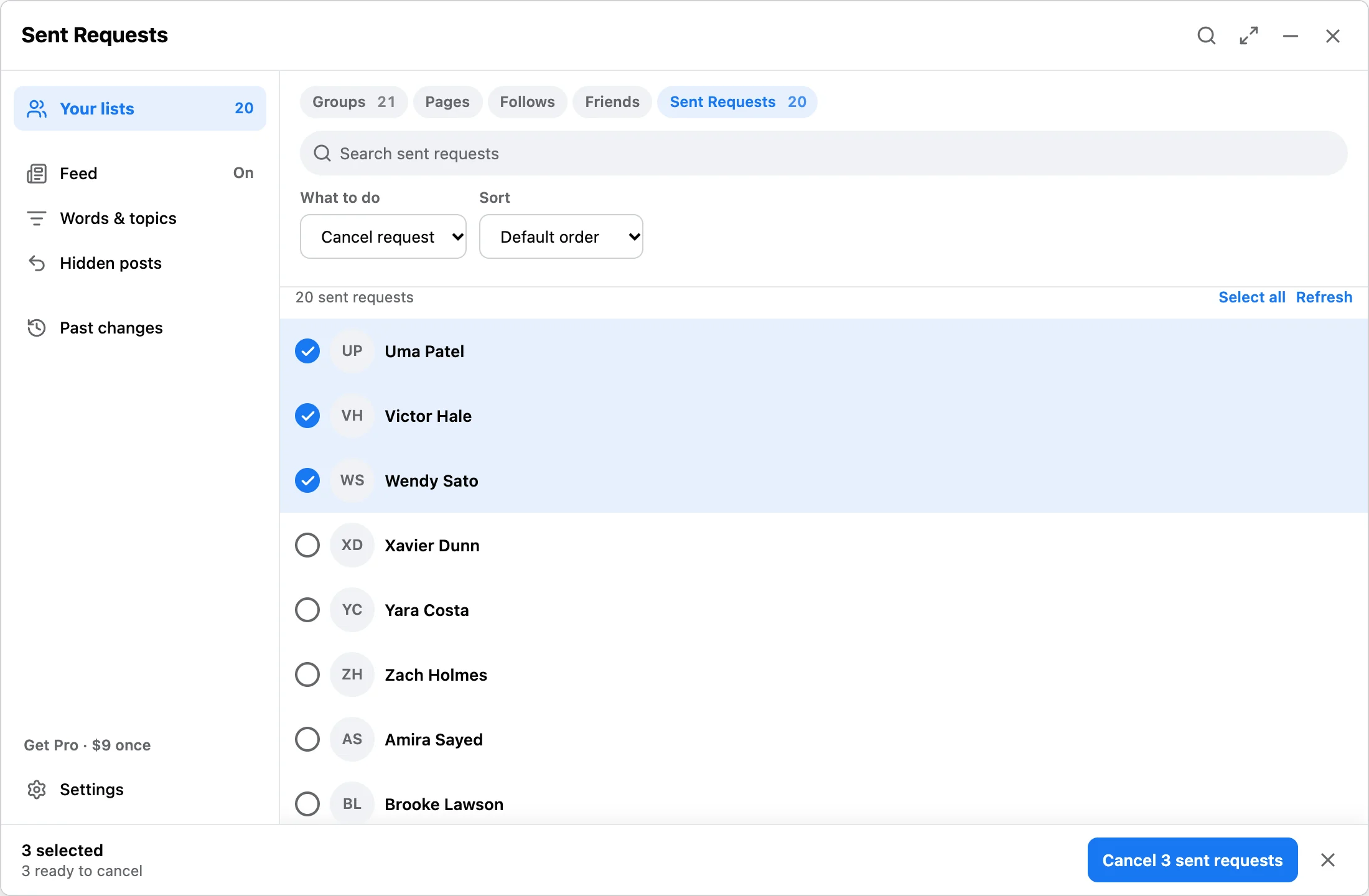
Clean old outgoing friend requests from the Facebook sent requests page. Scan visible requests, keep the queue local, and cancel only selected pending requests.
Workflow
Use desktop Chrome and open Facebook sent friend requests, usually under friends requests with the outgoing tab selected.
Discover available rows, search the local queue, and choose only requests you want to cancel.
Run with progress and stop controls. Free makes up to 10 changes a day; Pro has no daily limit.
Answer
This page targets people who want to clean pending outbound requests, not accept new friends or automate friend growth. Facebook Reset & Feed Control focuses on cleanup: review visible sent requests, then cancel selected ones.
FAQ
No. It cancels selected outgoing requests already visible on Facebook.
Yes. Free discovers and reviews lists, then makes up to 10 changes a day across confirmed runs.
No. It is independent and not affiliated with Meta or Facebook.
Use the free run limit to verify the outgoing request workflow before a larger cleanup.